My Favorite VS Code Theme and How to Make Your Editor Beautiful
Visual Studio Code (or simply vscode, or even code) is an editor developed by Microsoft. The editor was released back in 2015 and by now is considered one of the best if not the best code editors for web development and software engineering out there. I admit, I used Vim for a bit, but switched back to vscode+vim plugin for better .NET development experience and modern IDE features, since I work with .Net nowadays. This powerful code editor has become essential for programming productivity and developer workflows. I am going to tell you about my favorite set of plugins in one of my next posts.
To be honest with you, as a long time Linux user and open source enthusiast, at first I was hesitant to use a free code editor developed by a company that makes proprietary software. But I gave it a try when a Linux version of it was released, and I have no regrets now. VSCode has become the go-to development environment for programmers across different platforms.
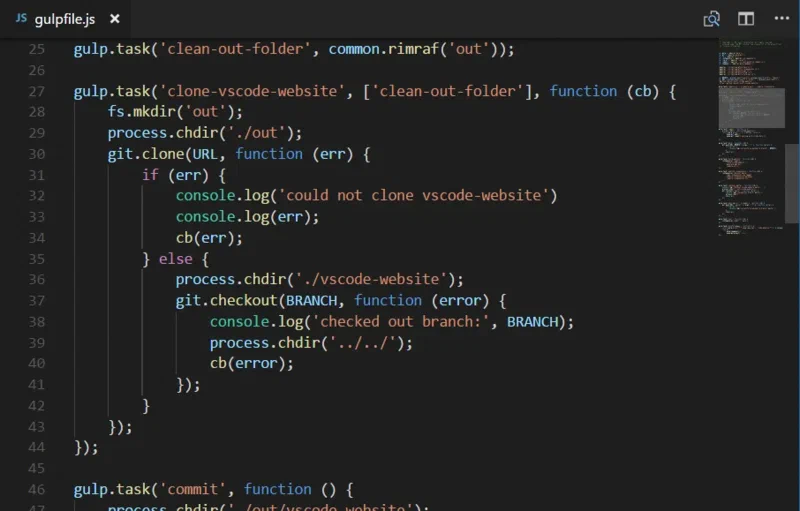
Visual Studio Code.
To tell you about all the features of VSCode like debugging, extensions, and integrated terminal I’d need a separate post (and I will write one soon). For now, let us concentrate on on of the most important aspects fellow developers think about — the theme (after all, we do spend many hours working with our code as developers and programmers, so we need the editor and the code to look pleasant and be easy on the eyes, so the eyes get less tired). Choosing the right IDE theme is crucial for long-term programming productivity and developer comfort.
In my humble opinion dark editor themes are better for coding productivity and eye strain prevention. This is subjective, of course, but the way I and many other programmers see it is this — dark themes are easier on the eyes during long coding sessions. There are tons of themes to choose from in the marketplace, including popular themes for web development and programming languages. I have tried quite a few and chosen the Night Owl theme.
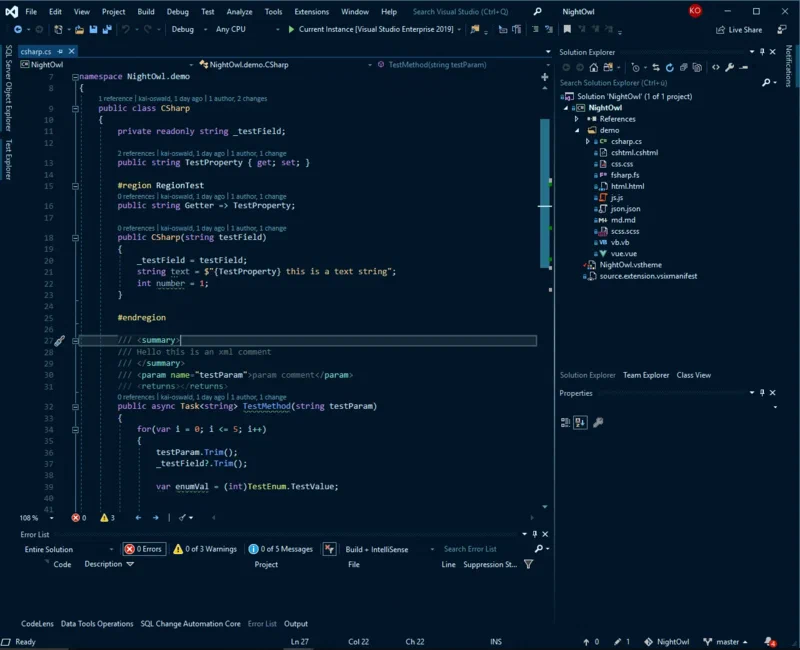
Night Owl Theme.
The theme was created by Sarah Drasner — one of my favorite fellow developers to follow on Twitter. To quote Sarah’s own site, she “is an award-winning Speaker, Head of Developer Experience at Netlify, Vue core team member, and Staff Writer at CSS-Tricks.”
As the name suggests, the theme is for those developers and programmers who spend most their nights coding and working on software projects. If you like light editor themes, worry not — Night Owl has a light variant (both install together and you can choose which one to use). The theme also has an _no italics _variant in case you don’t want italic fonts in your code (personally, I use the Firicico font for both italics and ligatures; pure coding awesomeness if you were to ask me).
If you would like to go behind the process of creating a theme for Visual Studio Code, or see more screen shots of Night Owl, head to the dedicated repository of the theme Sarah maintains.
I am grateful to you, dear reader, for your time!